
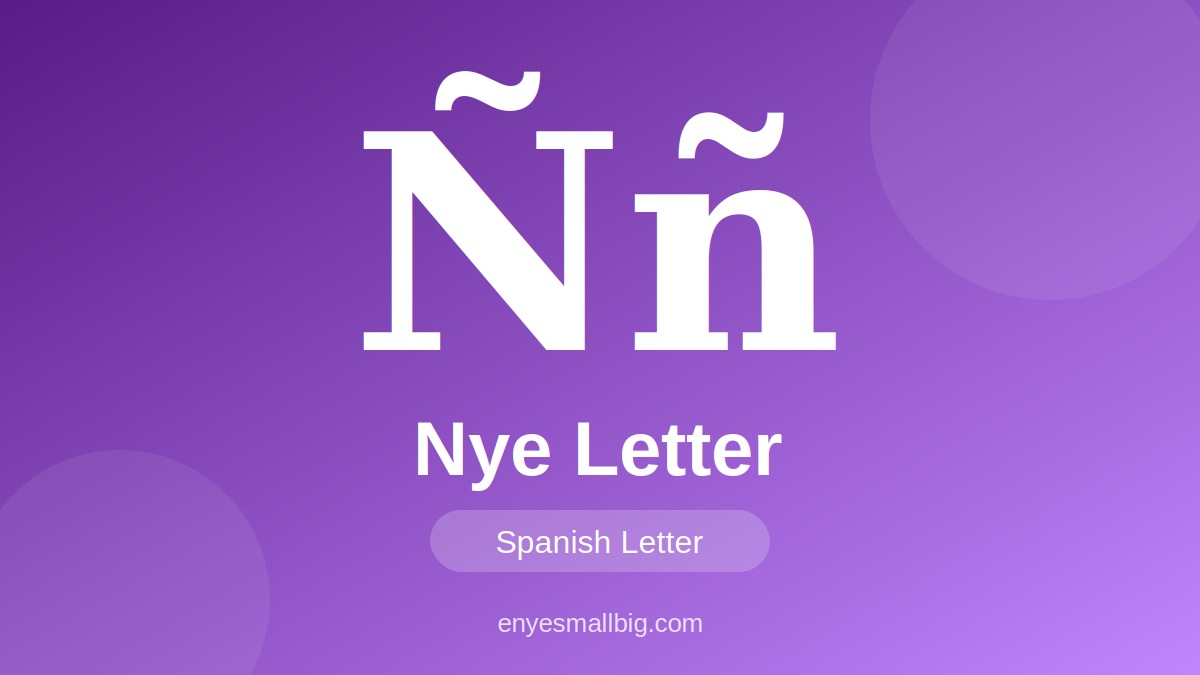
The enye capital letter (Ñ) is a special character used in Spanish and several other languages. It looks like the letter N with a small tilde (˜) above it. This character is essential for writing Spanish words correctly, including names, places, and everyday expressions. If you need the letter for a document, school assignment, website, or social media post, you can quickly copy it from this guide.
The easiest way to use the nye letter is to copy it directly and paste it wherever you need it. You can also learn how to type it using your computer or mobile keyboard. Whether you are searching for enye big, enye small, or enye copy paste, this article explains the character and provides simple instructions for beginners.
- Capital letter: Ñ
- Lowercase letter: ñ
- Character name: Eñe
- Common language: Spanish
- Capital form: enye capital
- Small form: enye small
- Unicode capital: U+00D1
- Unicode lowercase: U+00F1
- Common use: Spanish spelling
- Quick method: Copy and paste
1. What Is Enye Capital (Ñ)?
The enye capital letter is the uppercase form of Ñ, a distinct letter in the Spanish alphabet. It consists of the letter N with a tilde above it. Although it resembles a regular N, it represents a different sound and has its own place in Spanish spelling. You may see it in words, personal names, geographical locations, and official documents.
The nye letter is not simply a decorative version of N. It changes the pronunciation and meaning of words in Spanish. For example, año means “year,” while ano has a different meaning. Using the correct character is important when writing accurately, searching for names, or preparing Spanish-language content.
- Ñ is the uppercase form.
- ñ is the lowercase form.
- It belongs to the Spanish alphabet.
- It contains a tilde above N.
- Its Spanish name is eñe.
- It represents a distinct sound.
- It is used in Spanish words.
- It appears in personal names.
- It is used in place names.
- It differs from the ordinary letter N.
2. Enye Capital Copy and Paste
If you need enye copy paste, you do not have to change your keyboard settings or install special software. Simply select the capital character below, copy it, and paste it into your preferred application. This method works well when you are writing emails, preparing assignments, completing online forms, or creating digital content.
You can also keep the character in a note for future use. Copying and pasting is especially helpful when you use a keyboard that does not include Spanish characters. The capital enye big symbol can generally be pasted into word processors, browsers, messaging applications, and many other text fields that support Unicode.
Copy the capital character: Ñ
Copy the lowercase character: ñ
- Select the character Ñ.
- Right-click and choose Copy.
- Use Ctrl + C on Windows.
- Use Command + C on Mac.
- Open your target document.
- Place the cursor where needed.
- Use Ctrl + V on Windows.
- Use Command + V on Mac.
- Check that the symbol appears correctly.
- Save your document after editing.
3. Enye Big and Enye Small: Main Differences
The two common forms of this character are enye big and enye small. The capital form is Ñ, while the lowercase form is ñ. Their appearance differs mainly in letter size, just as uppercase N differs from lowercase n. The correct choice depends on where the character appears in a sentence, name, heading, or title.
In Spanish, capitalization follows the same general writing conventions used for other letters. Use Ñ when it is required at the beginning of a sentence or in a name written with an initial capital. Use ñ within a word when lowercase spelling is appropriate. Both forms represent the same Spanish letter, but they should not be substituted for one another without considering capitalization.
- Enye big: Ñ
- Enye small: ñ
- Capital form uses uppercase styling.
- Small form uses lowercase styling.
- Both include a tilde.
- Both belong to the Spanish alphabet.
- Both have distinct Unicode codes.
- Ñ has Unicode U+00D1.
- ñ has Unicode U+00F1.
- Select the form that matches your text.
4. How to Type Enye Capital on Windows
Windows users can type the enye capital character through several methods, depending on the keyboard layout and application. On many Windows systems, the numeric Alt code works when a compatible numeric keypad is available. You can also use the Character Map utility or insert the symbol through Microsoft Word’s symbol menu.
If your keyboard does not have a numeric keypad, copying and pasting Ñ may be the simplest option. Another approach is to enable a Spanish keyboard layout in Windows settings. The exact key combination can vary depending on the selected layout, so use a method that matches your computer configuration.
- Copy and paste Ñ from this page.
- Try Alt + 0209 using a numeric keypad.
- Make sure Num Lock is enabled when needed.
- Open Character Map in Windows.
- Search for the character N with tilde.
- Select Ñ in Character Map.
- Click Select, then Copy.
- Paste it into your document.
- Use Word’s Insert Symbol option.
- Check your keyboard layout if shortcuts differ.
5. How to Type Enye Capital on Mac
Mac users can enter the nye letter through keyboard combinations or the macOS character viewer. The exact shortcut may depend on your keyboard layout and operating system settings. On many Mac keyboard layouts, you can create accented characters using the Option key and other keys. If a shortcut does not work, the character viewer offers a convenient alternative.
For occasional use, the fastest method is often to copy Ñ directly from this page. If you frequently write in Spanish, consider adding a Spanish input source in your Mac’s keyboard settings. This makes it easier to type Spanish punctuation and accented letters without searching for each character separately.
- Copy Ñ from this guide.
- Paste it using Command + V.
- Open the macOS Character Viewer.
- Search for “Latin capital letter N with tilde.”
- Select the Ñ character.
- Insert it into your text.
- Check available keyboard shortcuts.
- Review your active keyboard layout.
- Add a Spanish input source if needed.
- Use the lowercase ñ when appropriate.
6. How to Use Enye Capital on Android and iPhone
Typing enye capital on a smartphone is usually straightforward. Many mobile keyboards include accented letters through a long-press feature. Press and hold the N key to see whether Ñ is available, then select it. The available characters depend on the keyboard app, language settings, and device configuration.
If the character does not appear, you can copy enye copy paste text from this page and insert it into your message or document. Smartphone users who regularly write in Spanish may benefit from adding Spanish to their keyboard languages. This can make the letter easier to access while typing messages, captions, and notes.
- Open your messaging or writing app.
- Tap the text field.
- Press and hold the N key.
- Look for Ñ in the character options.
- Select the capital form.
- Check whether your keyboard supports Spanish.
- Add Spanish in keyboard language settings if needed.
- Copy Ñ from this page if necessary.
- Paste it into your text.
- Review the final spelling before sending.
7. Common Uses of the Enye Letter
The nye letter appears in Spanish words, surnames, place names, and cultural expressions. It is an important part of correct Spanish spelling rather than an optional accent. For example, España is the Spanish name for Spain, and niño means “boy” or “child,” depending on context. In these words, replacing ñ with n changes the spelling and can change the meaning.
The enye big form may be used when a word or name requires an uppercase initial, while enye small is used in lowercase positions. The character can also appear in usernames, titles, educational materials, and multilingual websites. When writing someone’s name, preserve the correct spelling whenever possible.
- España — Spain in Spanish.
- Niño — boy or child.
- Niña — girl.
- Año — year.
- Mañana — tomorrow or morning.
- Señor — Mr. or sir.
- Señora — Mrs. or madam.
- Pequeño — small.
- Use Ñ when spelling requires it.
- Preserve the correct form in names.
8. Frequently Asked Questions About Enye Capital
Many people search for enye capital because their keyboards do not show the character directly. Fortunately, Ñ is a standard Unicode character and is supported by most modern devices and applications. If it appears incorrectly after pasting, check the application, font, or text encoding. In most everyday situations, copying the symbol directly is a reliable solution.
Another common question concerns the difference between n nye, ordinary N, and the Spanish eñe character. The correct character is Ñ or ñ, with the tilde above the letter. The phrase n nye may be used in searches when someone is trying to find the eñe symbol, but the standard written forms are Ñ and ñ.
- What is enye capital? It is the uppercase letter Ñ.
- What is enye small? It is the lowercase letter ñ.
- Can I copy Ñ? Yes, select and copy the character.
- How do I paste it? Use Ctrl + V on Windows or Command + V on Mac.
- Is Ñ the same as N? No, it is a separate letter.
- What is the Unicode for Ñ? U+00D1.
- What is the Unicode for ñ? U+00F1.
- Can I type Ñ on a phone? Usually, by pressing and holding N on a compatible keyboard.
- Why is Ñ important? It is necessary for correct Spanish spelling.
- What is the easiest method? Use enye copy paste to insert Ñ directly.
Conclusion
The enye capital letter (Ñ) is an important Spanish character used in words, names, and place names. You can type it through your device’s keyboard, use a character viewer, or copy it directly from this guide. Keep both enye big (Ñ) and enye small (ñ) available when writing Spanish text, and choose the correct form to maintain accurate spelling.