
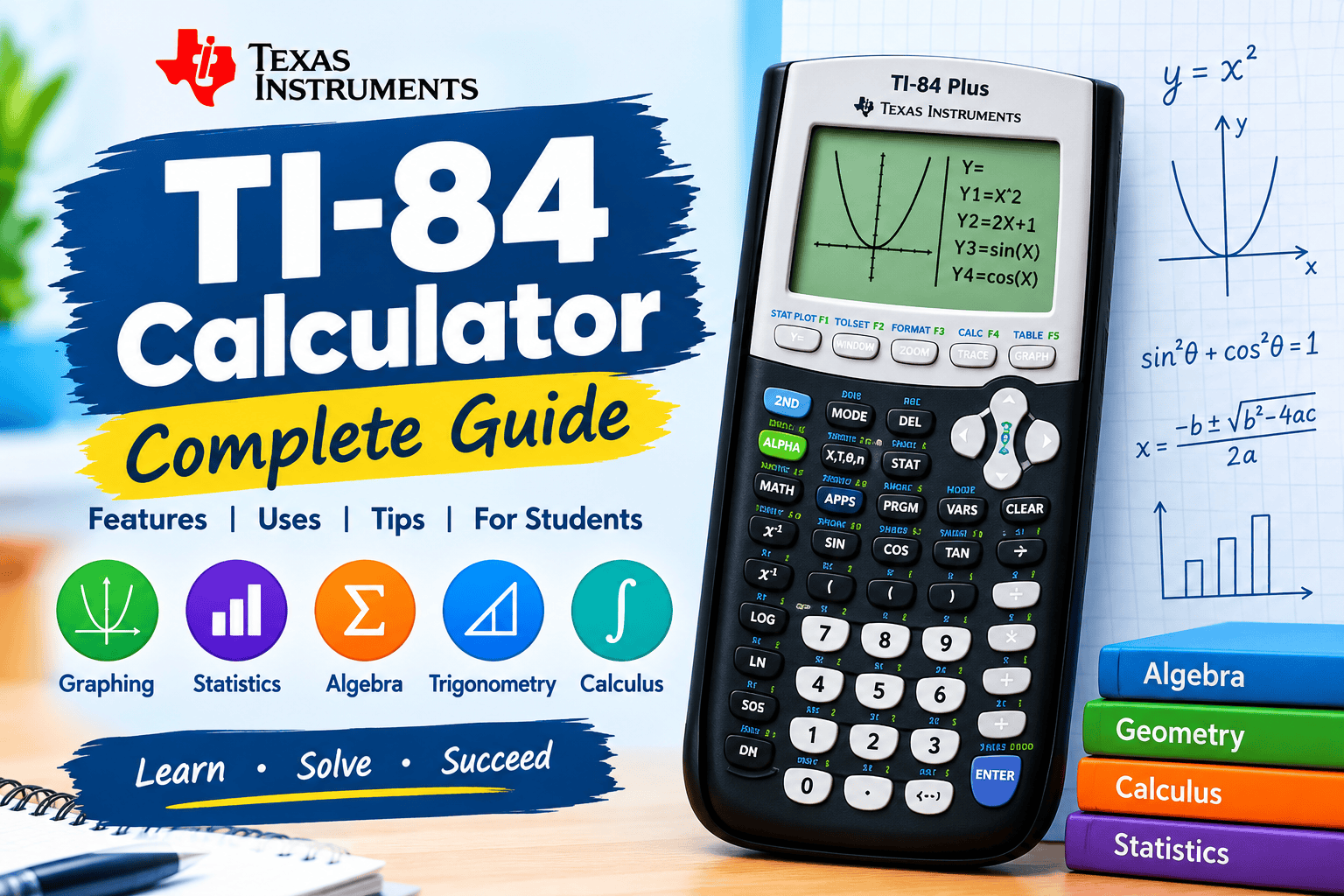
1. What Is a TI-84 Calculator?
The TI-84 calculator is a graphing calculator developed by Texas Instruments for students, teachers, and mathematics enthusiasts. It combines basic arithmetic with advanced mathematical functions, including equation graphing, statistical analysis, probability calculations, and numerical problem-solving. It is widely used in high school and college mathematics courses.
Unlike a standard calculator, the TI-84 can display mathematical functions as graphs, generate tables of values, and analyze datasets. These features help users visualize relationships between variables and understand complex concepts. Whether studying algebra, trigonometry, precalculus, calculus, or statistics, students can use this calculator to improve accuracy and strengthen problem-solving skills.
Key features:
- Advanced mathematical calculations
- Graphing equations and functions
- Statistical data analysis
- Probability calculations
- Tables of function values
- Matrix operations
- Programmable capabilities
- Multiple calculator models
2. Main Features of the TI-84 Calculator
The TI-84 calculator provides a comprehensive set of tools for solving mathematical problems efficiently. Its graphing interface supports linear, quadratic, exponential, logarithmic, and trigonometric functions. Users can enter equations, adjust viewing windows, examine important graph points, and compare multiple functions to understand mathematical relationships more clearly.
Beyond graphing, the calculator supports fractions, matrices, lists, statistical calculations, and probability distributions. Depending on the model, users may also benefit from a color display, rechargeable battery, and expanded memory. Understanding these capabilities helps students select the appropriate functions for their coursework and complete calculations more effectively.
Essential capabilities:
- Function and equation graphing
- Fraction and decimal calculations
- Matrix operations
- Statistical analysis
- Probability distributions
- Numerical
- Numerical differentiation
- Numerical integration
- Customizable graph settings
3. How to Use a TI-84 Calculator for Beginners
Learning how to use a TI-84 calculator starts with understanding its main buttons and menus. The ON button powers the device, the MODE menu controls calculation settings, and the Y= button opens the function editor. The GRAPH button displays equations, while ENTER calculates expressions or confirms selections.
For example, enter 25 ÷ 5 + 3 on the home screen and press ENTER to get 8. To graph \(y=x^2\), press Y=, enter X^2, and select GRAPH. Practicing these basic operations helps beginners become comfortable with the calculator before exploring advanced mathematical functions.
Beginner tips:
- Learn the primary keypad functions
- Explore the MODE menu
- Enter expressions accurately
- Use parentheses correctly
- Press ENTER to calculate
- Enter functions through Y=
- Press GRAPH to plot equations
- Check settings before calculations
4. How to Graph Equations on a TI-84 Calculator
Graphing is one of the most useful features of the TI-84 calculator. To plot a function, open the Y= menu, enter the equation, and press GRAPH. The calculator displays the function within the current viewing window, allowing users to examine curves, intercepts, turning points, and relationships between variables.
If a graph appears incomplete, adjust the horizontal and vertical ranges through the WINDOW menu. Zoom options can reveal important details, while multiple function entries allow users to compare equations on the same screen. These features are particularly helpful for studying linear equations, quadratic functions, exponential growth, and trigonometric graphs.
Graphing essentials:
- Open the Y= function editor
- Enter the equation correctly
- Press GRAPH to display the function
- Adjust Xmin and Xmax
- Set suitable Ymin and Ymax
- Use zoom options
- Compare multiple functions
- Examine intercepts and intersections
5. Using the TI-84 for Algebra, Trigonometry, and Calculus
The TI-84 calculator supports several important areas of mathematics. In algebra, students can evaluate expressions, graph linear and quadratic equations, and investigate solutions numerically or graphically. Plotting multiple functions also helps learners explore systems of equations and identify intersection points, making mathematical relationships easier to understand.
For trigonometry, the calculator evaluates sine, cosine, and tangent functions when the correct angle mode is selected. Compatible models provide numerical methods for estimating derivatives and calculating definite integrals. These capabilities help students verify answers, explore mathematical patterns, and develop a stronger understanding of formulas and underlying concepts.
Mathematical applications:
- Evaluate algebraic expressions
- Graph linear equations
- Analyze quadratic functions
- Explore systems of equations
- Calculate trigonometric values
- Switch between degrees and radians
- Approximate numerical derivatives
- Evaluate definite integrals numerically
6. Statistics and Data Analysis With the TI-84
The TI-84 calculator is particularly useful for statistics coursework because it can organize datasets and calculate descriptive measures. Users can enter observations into lists and determine the mean, median, standard deviation, and quartiles. These measurements help summarize numerical information and explain the central tendency and variability of datasets.
Additional functions support scatterplots, histograms, regression analysis, and probability calculations. Depending on the model and operating system, users can also perform statistical tests and investigate probability distributions. These tools make the TI-84 valuable for classroom assignments, introductory research, and understanding relationships between variables in real-world datasets.
Statistical tools:
- Calculate mean and median
- Find standard deviation
- Store observations in lists
- Create scatterplots
- Generate histograms
- Perform linear regression
- Investigate correlation
- Calculate probabilities
7. TI-84 Calculator Models and Buying Guide
Texas Instruments offers several graphing calculator models, including the TI-84 Plus and TI-84 Plus CE. The TI-84 Plus generally features a monochrome display, whereas the TI-84 Plus CE offers a color screen, a slimmer design, and a rechargeable battery. Specifications, memory capacity, and software compatibility vary by model and version.
Before purchasing a TI-84 calculator, consider your budget, academic requirements, preferred display, and intended use. Students should check whether their school recommends a particular model and whether it is permitted in examinations. Comparing battery options, warranty coverage, software features, and seller reputation can help buyers choose a suitable calculator.
Buying considerations:
- Compare available TI-84 models
- Check display type and quality
- Review battery requirements
- Confirm exam compatibility
- Compare memory specifications
- Set a realistic budget
- Check warranty coverage
- Choose a reputable seller
8. TI-84 Calculator Troubleshooting and Maintenance
Even reliable calculators can occasionally display unexpected graphs, produce confusing answers, or become unresponsive. Many issues can be resolved by checking the battery or power source, reviewing equation syntax, and verifying calculator settings. Incorrect viewing windows and angle modes are common causes of unexpected graphing results or trigonometric calculations.
Regular maintenance helps keep the TI-84 working reliably throughout the academic year. Follow model-specific instructions for software updates, battery care, and data management. Before performing a factory reset, back up important programs and variables because resetting may erase stored information. If basic troubleshooting does not resolve the issue, consult official Texas Instruments support resources.
Troubleshooting tips:
- Check the battery or charging cable
- Review calculation syntax
- Verify the selected angle mode
- Adjust graph window settings
- Restart the device if appropriate
- Follow model-specific update instructions
- Back up important programs
- Consult official technical support
Conclusion
The TI-84 calculator is a versatile educational tool for graphing equations, performing mathematical calculations, analyzing statistical data, and exploring advanced mathematical concepts. Its combination of numerical functions and visual learning capabilities makes it useful for high school students, college learners, educators, and anyone developing stronger mathematics skills.
By mastering the keypad, practicing graphing techniques, exploring statistical functions, and understanding calculator settings, beginners can use the TI-84 more effectively. Choosing an appropriate model and following basic maintenance practices can further improve the experience. Whether studying algebra, trigonometry, precalculus, calculus, or statistics, learners can use the TI-84 to support their academic progress and approach mathematics with greater confidence.
Frequently Asked Questions (FAQs)
1. What is a TI-84 calculator used for?
The TI-84 calculator is used for graphing equations, performing mathematical calculations, analyzing statistical data, calculating probabilities, and studying algebra, trigonometry, precalculus, calculus, and statistics.
2. Is the TI-84 calculator suitable for beginners?
Yes. Beginners can start with basic arithmetic and simple graphs before progressing to advanced calculations, probability, and statistical analysis.
3. Can the TI-84 calculator solve equations?
The calculator can help users investigate and approximate solutions through graphing and numerical methods. The appropriate approach depends on the equation and the specific calculator model.
4. What is the difference between the TI-84 Plus and TI-84 Plus CE?
The TI-84 Plus generally has a monochrome display, while the TI-84 Plus CE features a color screen, a slimmer design, and a rechargeable battery.
5. Can I use the TI-84 calculator for statistics?
Yes. It supports descriptive statistics, data lists, regression analysis, graphs, probability calculations, and other statistical operations.
6. Is the TI-84 calculator allowed in exams?
Exam rules vary by examination board and institution. Check the current official calculator policy to confirm whether your specific TI-84 model is permitted.